



When to Use This Workflow
Use this workflow when you want personalized outreach drafts for:
- Sales prospects
- Warm leads
- Investors
- Strategic partners
- Podcast or media targets tied to a business goal
What You Need Before Starting
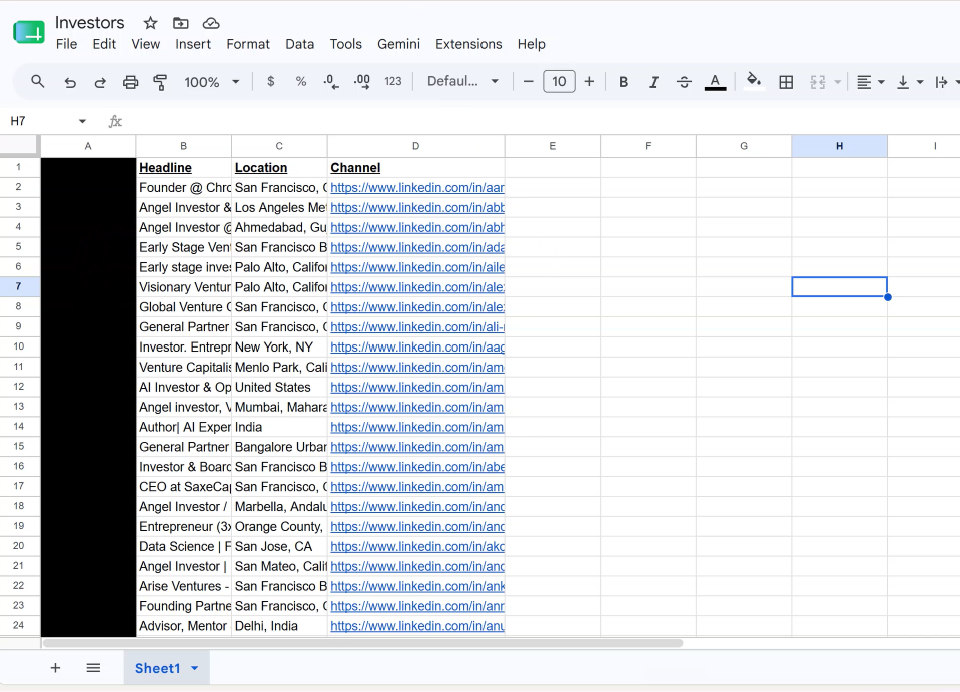
To create an outreach automation, you need a CSV spreadsheet of leads.
Each row should represent one person, company, investor, partner, podcast, or organization you want Achieve AI to research and draft for.
If you have not created your spreadsheet yet, start with the separate guide on creating your outreach CSV.
The better your spreadsheet, the better your drafts will be.
What you’re building
The play is simple: AchieveAI sends genuinely personalized outreach to your ideal customers at scale.
This is not blasting one template to ten thousand inboxes. It is mass-personalized outbound: high volume, but every message reads like you studied the company first. (See ‘How AchieveAI Drafts the Perfect Message‘)
You set the target list, the offer, the tone, and the quality bar. AchieveAI handles the research, the writing, the follow-ups, and the memory. Your job is to review the drafts, approve the right ones, and take the calls that come from them.
Step 1: Step by step instructions to build the outreach automation
This is where the cold outreach engine gets created once and runs on a schedule.
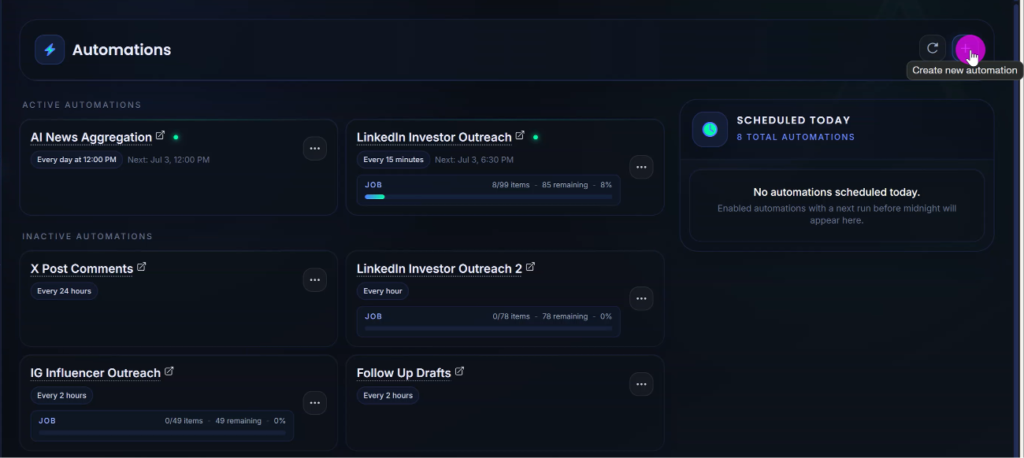
Inside AchieveAI, open Automations, then create a new automation. This automation becomes the system that works through your target account list one account at a time.
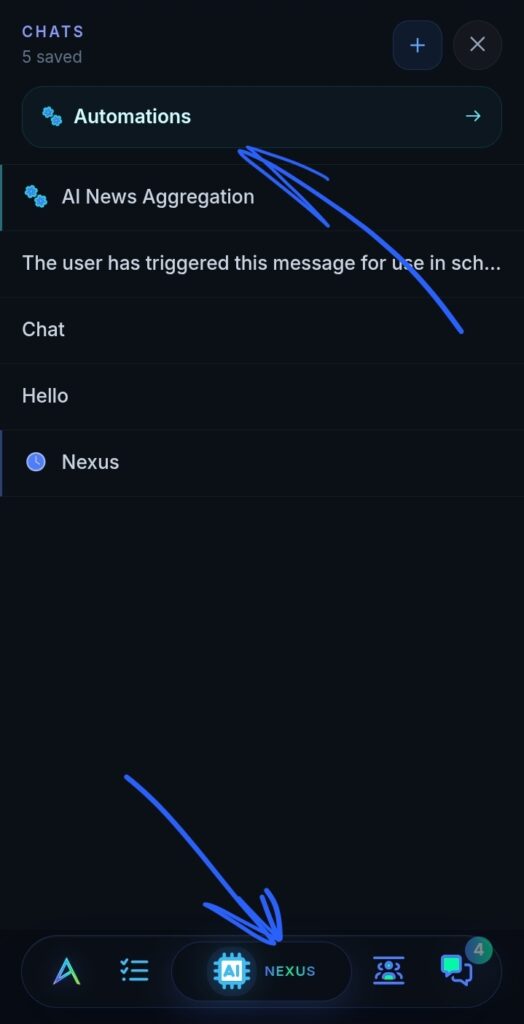
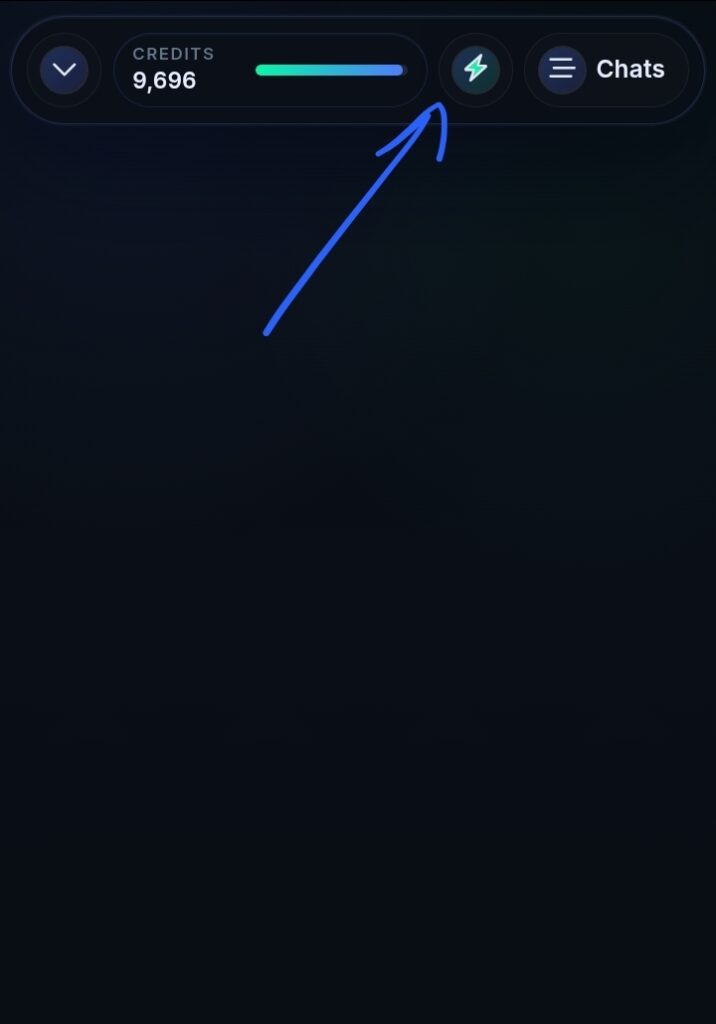
On mobile, Automations can be found under the Lightning Bolt icon on your Nexus page.
Name
Use something obvious, such as “Daily Personalized Outbound,” so you can recognize it later.
Skills / Prompt Settings
These are the instructions AchieveAI will follow for every target account. Tell it what you sell, who you sell to, what kind of research matters, what tone to use, what not to say, and what kind of message should be drafted.
Skill Selection
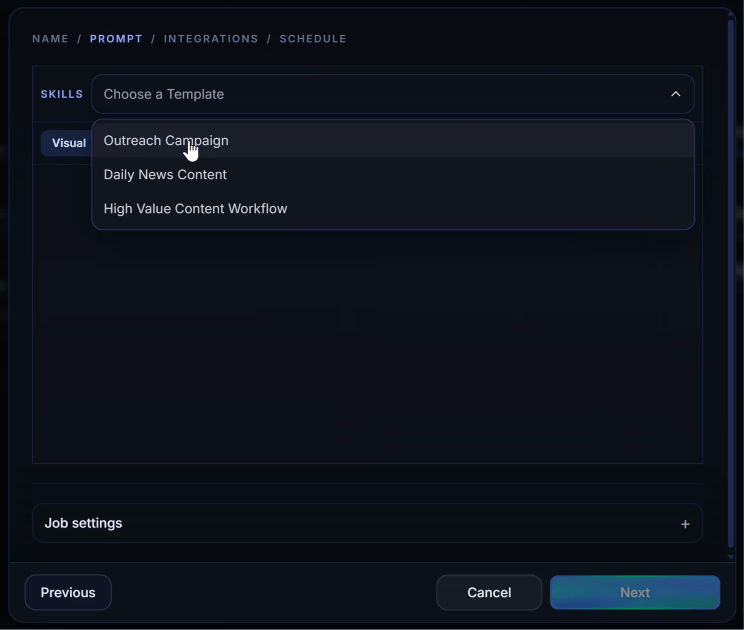
The skill selection and campaign type tells AchieveAI what kind of message to create:
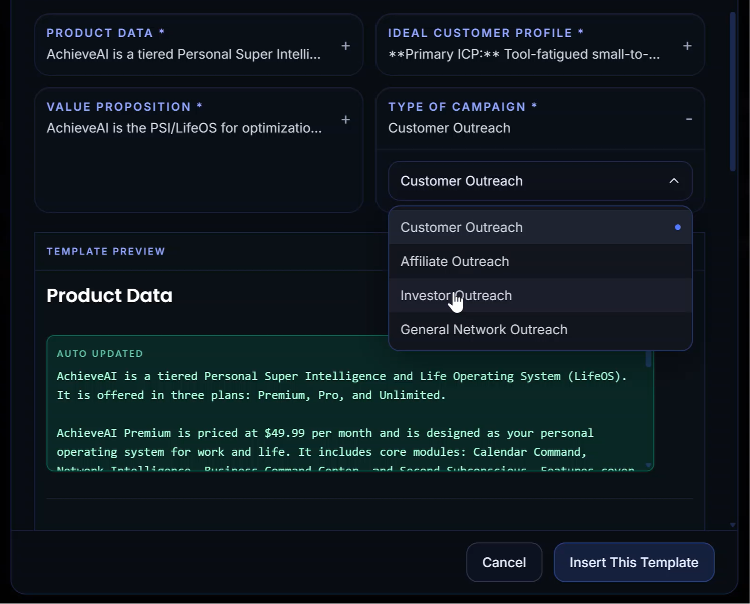
For this workflow, the main types are:
- Sales
- Investors
- Strategic partners
Adjust the Instructions, If Needed
Achieve AI provides a prebuilt outreach prompt.
You can use it as-is or modify the instructions before saving the automation. (i.e., ‘shorter’, ‘more direct’, etc)
Target list (Job Settings)
Upload or paste the accounts you want AchieveAI to work through.
Items per run
Start with one account per run. This keeps the workflow deliberate while you learn what good output looks like. Once the drafts are consistently strong, increase the volume.
Schedule
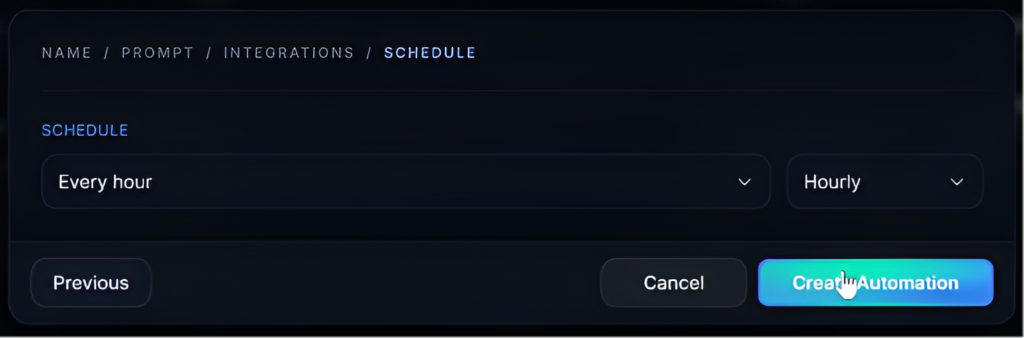
The schedule controls how quickly Achieve AI works through your CSV.
Examples:
- Every 20 minutes
- Every hour
- Every 2 hours
- Once per day
Each run usually processes one row and creates one personalized draft.
How it Works
Once your automation is running, Achieve AI works through your CSV one row at a time.
For each lead, Nexus will:
- Read the spreadsheet data
- Research the person, company, or organization
- Compare the lead to your business and campaign goal
- Identify a relevant outreach angle
- Draft a message for the correct channel
- Prepare the draft for your review
This replaces the manual process of opening tabs, researching each person, reading websites, checking profiles, and writing every message from scratch.
Review and send
When AchieveAI finishes a run, the draft is waiting for you. Open the thread, read the message, make any tweak, auto copy the message, and pre-fill it directly inside of LinkedIn, SMS, Gmail/Outlook, Instagram, and Whatsapp in one click.
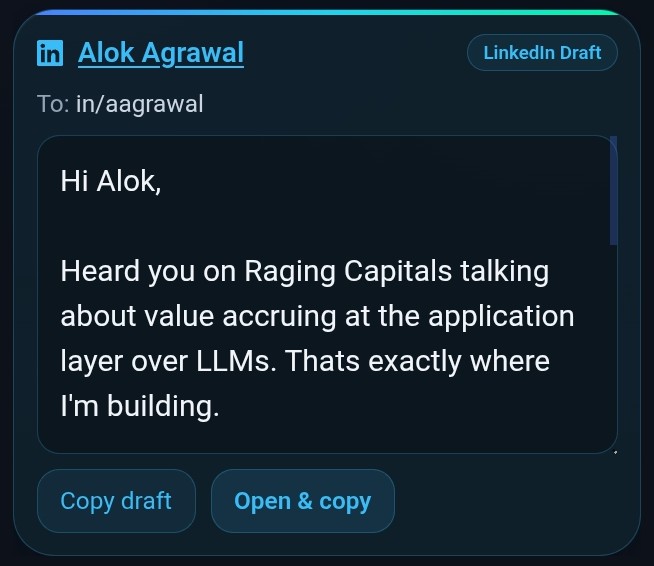
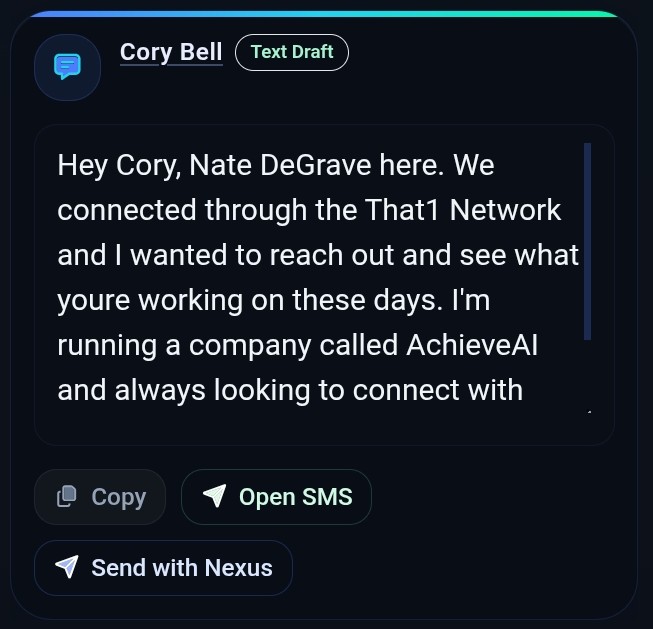
This review step matters. AI can do the labor, but you still own the relationship. You should approve the message because it represents your name, your company, and your brand.
Once you send, AchieveAI logs the outreach, remembers what was said, and keeps the account file updated. There is no separate CRM cleanup required just to remember who you contacted and what angle you used.
Example: Investor Outreach Campaign
Imagine you want to reach 100 potential investors.
You create a CSV of investor leads, then upload it into Achieve AI. You create an automation called “Investor Outreach,” choose the investor campaign type, review your business context, and set the automation to process one investor every hour.
As the automation runs, Achieve AI researches each investor and drafts a message explaining why the outreach is relevant.
You review each draft, make any quick changes, and send it manually.
The same process works for sales prospects, warm leads, strategic partners, podcast hosts, and other outreach targets.
Final Workflow Recap
To create a mass-personalized cold outreach campaign with Achieve AI:
- Prepare your outreach CSV.
- Create a new automation.
- Upload the CSV.
- Choose the campaign type.
- Review your business context.
- Adjust the prompt instructions, if needed.
- Set the draft creation schedule.
- Run the automation.
- Review, edit, and manually send each draft.
A spreadsheet becomes a structured outreach campaign. Each row becomes a researched draft. Each draft becomes a message you can quickly review and send.
Achieve AI helps you scale personalized outreach without turning it into generic automated spam.