

You’ve tried every productivity hack. Pomodoro timers. Cold showers. Time-blocking. Yet two hours into your deep work block, you’re still rereading the same paragraph. The problem isn’t your willpower. It’s your environment.
Decades of environmental psychology research show that your physical surroundings directly modulate cognitive performance. Lighting spectrum alters cortisol levels. Ambient noise affects divergent thinking. Air CO₂ concentration drops decision-making ability by 50% at 1,000 ppm. Visual clutter competes for attention in working memory. Temperature swings of just a few degrees degrade typing accuracy.
Most optimization-obsessed operators treat focus as a mental game. They download apps, meditate, and grind. But the highest-leverage upgrade isn’t a habit — it’s a space designed for flow. And until now, diagnosing that space required an expensive consultant or a PhD in ergonomics.
Enter the Environment Optimization AI. Not a generic checklist, but a system that audits your workspace and prescribes precise upgrades using environmental psychology, neuroscience, and your actual workflow data.
## How AI Audits Your Workspace
Modern AI can assess your environment through multiple input channels:
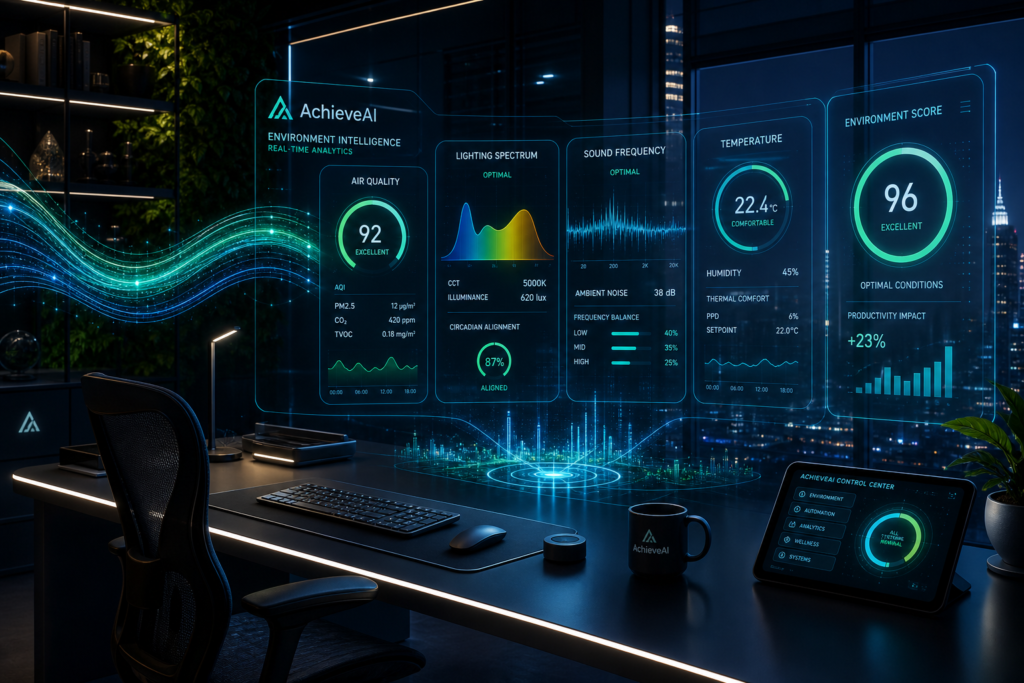
– **Lighting**: Analyzes lux levels, color temperature (Kelvin), and glare points. Suggests bias lighting behind monitors to reduce eye strain, or 5000K task lighting for analytical work vs. 2700K ambient for creative flow.
– **Noise**: Measures dB levels and frequency profiles. Identifies problematic low-frequency hums from HVAC or traffic. Recommends acoustic panels at first reflection points or specific white/pink/brown noise tailored to your task type.
– **Ergonomics**: Evaluates desk height, monitor arm positioning, seat angle. A typical recommendation: top of monitor at eye level, elbows at 90°, feet flat. But AI can go further — adjusting setup based on whether you’re coding, writing, or doing deep reading.
– **Visual Clutter**: Computer vision quantifies the number of visible objects in your peripheral field. High object density correlates with reduced attention span. AI can suggest which items to move to drawers or shelves based on usage frequency.
– **Air Quality**: Integrates with CO₂ sensors, VOC monitors, and humidity trackers. At CO₂ > 800 ppm, suggests opening windows or adding a ventilated desk fan. For VOCs, recommends specific air-purifying plants (e.g., snake plants for formaldehyde).
– **Temperature**: Optimal cognitive performance occurs at 70–72°F (21–22°C). AI logs temperature changes throughout the day and suggests smart thermostats or localized cooling/heating.
## Specific Upgrades AI Can Generate
Based on your audit, here’s the kind of prescription an environment AI might produce:
– **Desk Positioning**: Rotate 90 degrees to face the door (predator-brain calm) or face a window with a view of nature (restorative attention).
– **Monitor Height**: Raise 2.3 inches to align top bezel with eye level. Add a second monitor at a 30° angle.
– **Lighting Temp**: Shift to 4000K during deep work, 3000K for reading, 5000K for detail tasks.
– **Acoustic Treatment**: Place 2-inch acoustic foam panels at ear height on the wall behind the monitor. Add a rug if floor reflections are harsh.
– **Plant Placement**: One large leafy plant (e.g., fiddle-leaf fig) within 3 feet of your line of sight. Plants reduce stress and increase concentration by up to 20%.
– **Scent/Air Quality**: Introduce rosemary or peppermint essential oil via diffuser during focus blocks — both have shown cognitive-enhancing effects.
– **Clutter Reduction**: Limit desk to three items: computer, water, and one notepad. Everything else in drawers.
These aren’t random tips. They are personalized, data-driven outputs derived from matching your environment to your cognitive tasks.
## Why AchieveAI Is the Missing Link
Most people can improve their workspace once. But environment optimization isn’t a one-time fix. It’s a dynamic system that evolves with your goals, schedule, and cognitive state.
AchieveAI is the Personal Super Intelligence that connects your environment to everything else. It knows you have a high-stakes client proposal due at 3 PM. So at 1 PM, it dims your lights to 4000K, prompts your smart blinds to open for afternoon sun, adjusts your thermostat to 71°, and starts a pink noise playlist — all without you lifting a finger.
But it goes deeper. AchieveAI’s Autonomous Agency can act on environmental triggers in real time:
– **Cognitive Continuity**: If you switch from deep coding to creative brainstorming, it adjusts lighting and sound automatically.
– **Infinite Memory**: It remembers that last Tuesday’s 78° room made you drowsy, so it pre-cools your space before your next focus block.
– **Goal Alignment**: When you create a milestone like “Launch Fear Code MVP,” AchieveAI knows you need 3 hours of uninterrupted flow daily. It audits your environment, suggests the upgrades, and schedules the environment adjustments alongside your tasks.
This isn’t a separate app or gadget. It’s your LifeOS treating your physical environment as a first-class variable in your performance equation. The same system that orchestrates your vision, relationships, and health now orchestrates your space.
## The Bottom Line
You can keep fighting your brain with sheer willpower. Or you can design your environment to fight for you. The science is clear: environment optimization yields 10–40% improvements in focus, accuracy, and creative output. AI makes that optimization accessible, continuous, and deeply personalized.
Your environment is either your silent partner or your saboteur. It’s time to make it your partner.
👉 **Ready to let AI design your focus environment?** Try AchieveAI free for 14 days. No credit card required. Just bring your goals — we’ll handle the rest. Share this article with someone whose workspace needs an upgrade.